


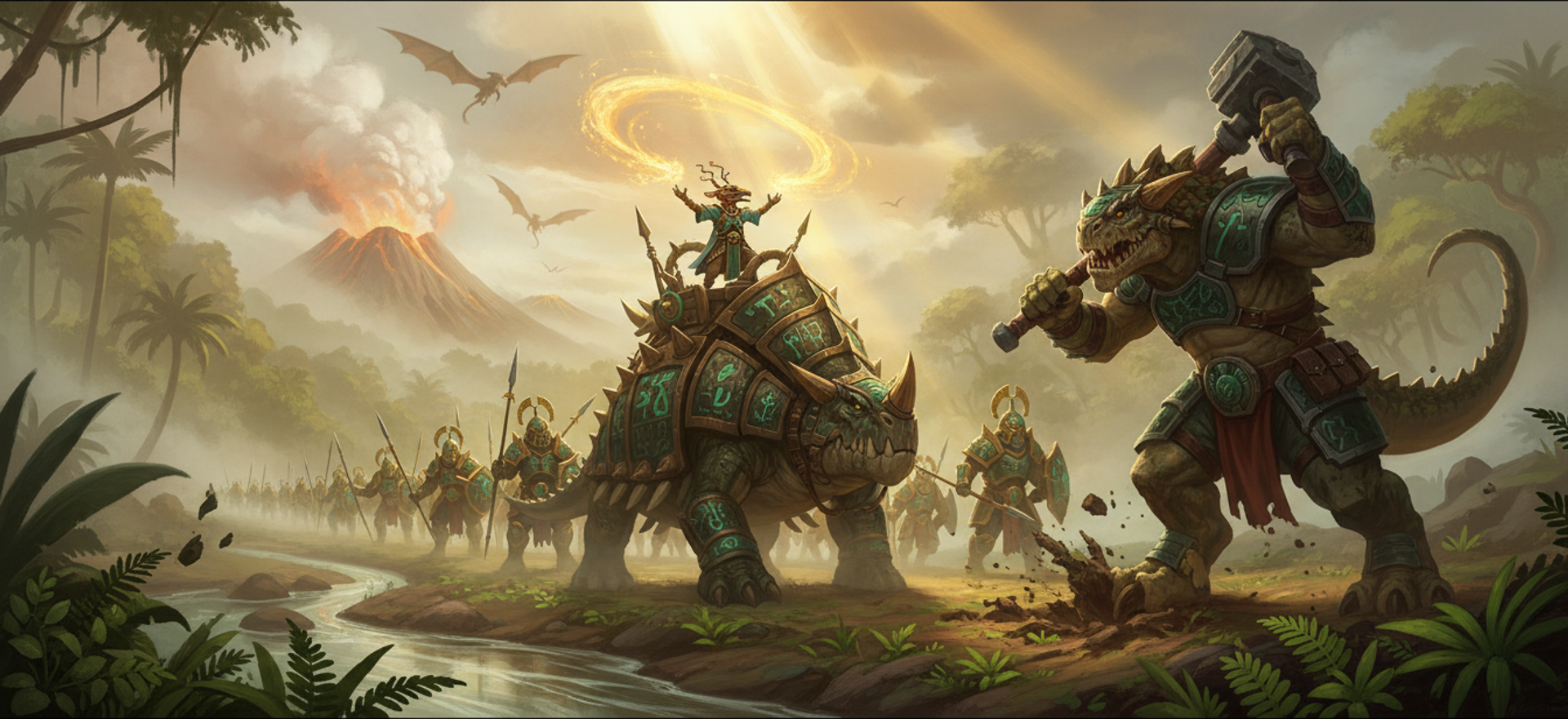
Pull the camera all the way out over a jungle map and you are looking at thousands of trees, a couple of hundred units and a volcano. It holds a frame rate now, and nothing about the far half of the screen announces itself. Distant units keep turning smoothly toward wherever they are walking instead of snapping between a handful of drawn facings, and a block of canopy no longer changes in a single frame in a way you can see from across the map.
The technique underneath that is level of detail, usually shortened to LOD, and it is the oldest trick in real-time 3D: a thing far away covers few pixels, so drawing it in full detail is work nobody can see. You therefore keep several versions of every model at decreasing complexity and swap to a cheaper one as it recedes. The two questions that make it interesting are what the cheaper versions should be, and at what distance to hand over — and this post has a different answer to each than the one the project started with.
The cheapest version has traditionally been a billboard, also called an impostor: not a model at all, but a flat rectangle facing the camera with a picture of the model painted on it, pre-rendered from a handful of angles. Two triangles instead of twenty thousand. The catch is that it is a photograph of a model rather than a model, so it only looks right from the angles it was photographed from.
Getting there meant deleting the two cheapest things in the renderer. Distant units used to be drawn as exactly that: an animated billboard, then a single flat quad. Both are gone. Every step down in a unit's detail is now a real mesh, and the distances at which it steps are derived rather than dialled in.
The chain, and where each handoff comes from
A unit has four levels of detail: the source model, a close one at whatever the player's model quality setting chose (20k, 15k, 10k or 5k triangles), a 3,000-triangle one, then a 500-triangle one. The bottom two are not animated at all. Each is frozen once into the first frame of the idle pose, so every copy in the world inherits that pose for free.
None of the handoff distances were tuned by eye. They come out of one rule: geometry stops being perceptible once its triangles are reliably smaller than a pixel. Aiming at half a triangle per pixel sits a factor of two inside that, and inverting the rule gives each level the on-screen size at which it becomes good enough.
| Level | Good enough at | Roughly |
|---|---|---|
| 500 | 1,000 covered px | 32x32 |
| 1k | 2,000 | 45x45 |
| 3k | 6,000 | 77x77 |
| 5k | 10,000 | 100x100 |
| 20k | 40,000 | 200x200 |
The resulting distances are stored as constants, and a test asserts they still equal what the rule produces, so changing the target density or a level's triangle count cannot silently leave the ladder behind. The code that makes the choice touches no renderer, no clock and no page, which is what makes all of it testable without a GPU.
One boundary is not a change of mesh. At about 40x40 pixels a unit stops being animated at all. That falls inside the 3,000-triangle band, so a unit changes geometry and stops animating at two different moments, each individually invisible.
Projection is done properly rather than approximated. A sphere of radius r at
distance d projects to a circle of radius f * r / sqrt(d² - r²), not
f * r / d. The two agree within 1% beyond d = 7r and diverge exactly where
the camera is pushed up against a unit, which is where the highest detail has to
win.
The other subtlety is which pixels. Units, buildings, trees and ground scatter are all sized against the height of the window in CSS pixels, not the size of the drawing buffer. When automatic quality control drops rendering resolution to 0.7x, the buffer is upscaled to the display, so a level of detail sized to be exactly sufficient for the buffer arrives magnified. That convention had also been applied inconsistently, with buildings and scenery reading the buffer while units read the window, which on a 2x display is a 3.6x swing in measured covered pixels across a setting units never felt. A forest visibly stepping down in detail while the army in front of it did not is the artefact that fixing it removes.
Deriving your own switch distances from covered pixels
The transferable part is that a switch distance is not a number you pick. It is a number you invert out of "how many pixels does this cover".
// Screen-space level-of-detail selection. No renderer, no 3D library.
const TARGET_TRIS_PER_PIXEL = 0.5;  // 1.0 is where triangles go sub-pixel

/** Eye to image plane, in pixels. CSS pixels, not drawing-buffer pixels. */
const focalLengthPx = (fovYRad: number, cssViewportHeightPx: number): number =>
  (cssViewportHeightPx / 2) / Math.tan(fovYRad / 2);

/** Exact projected radius of a bounding sphere, not the usual f*r/d. */
function projectedRadiusPx(worldRadius: number, distance: number, focalPx: number): number {
  if (distance <= worldRadius) return Infinity;   // camera inside the sphere
  return (focalPx * worldRadius) / Math.sqrt(distance * distance - worldRadius * worldRadius);
}

/** The square bounding the projected disc, (2r)^2. Over-estimates by 4/pi,
 *  which biases every decision toward more quality rather than less. */
const coveredPixels = (radiusPx: number): number => (2 * radiusPx) ** 2;

/** The inverse, and the only reason any of this is worth doing: the covered
 *  pixels at which a mesh of `tris` becomes sufficient. Feed it your camera and
 *  it becomes the distance at which you hand over to that mesh. */
const handoffCoveredPx = (tris: number): number => tris / TARGET_TRIS_PER_PIXEL;

/** A deadband authored in AREA has to be converted before a distance-based
 *  switcher sees it. Distance goes as 1/sqrt(area), so 0.25 in area is ~0.106. */
const distanceHysteresis = (areaDeadband: number): number =>
  1 - 1 / Math.sqrt(1 + areaDeadband);
Three things in there are worth stealing on their own. The exact projection matters only where the camera is pressed against a thing, which is exactly where full detail has to win. Deciding once whether "covered pixels" means window pixels or buffer pixels, and then feeding everything the same answer, is the difference between one quality setting and two. And a deadband authored in area is not the same number as a deadband in distance, which is what most switchers actually want.
Flicker needs two mechanisms, not one
That area deadband of 0.25 works out at about 12% in linear screen size. It is comfortably more than the sub-pixel wobble a smoothed camera produces at a fixed zoom, and small enough that a deliberate zoom crosses it immediately.
Scenery gets a second gate: a minimum of 30 frames between changes, half a second at 60 fps. Both are needed. A camera swinging through the full deadband every other frame defeats the deadband, and a minimum interval on its own still lets a camera parked exactly on a boundary change every thirty frames forever.
The portable check is short. Print covered pixels for one object per frame, park the camera on a boundary, and watch which level is chosen. If it changes at all while nothing is moving, you have neither mechanism. If it changes only when the camera swings, you have the deadband and no minimum interval.
There is a matching safety property on the other side. When the level a thing wants has not loaded, the game falls back toward finer geometry, and failing that, to whatever is already on screen, so a level that fails to build leaves the object drawn exactly as it was. For units the rule reverses at load time: a missing coarse mesh is declined rather than replaced by the fine one, because climbing would spend a download to arrive at the expensive mesh the coarse one existed to avoid. Nothing anywhere in the chain renders a placeholder, a zero-sized quad or a stand-in, and the worst case of a missing level is a unit costing more triangles than it should.
Seeing a level of detail at the size the game draws it
The LOD lab shipped in July, a month before the billboards were retired, and it exists because of a measurement problem rather than a rendering one.
The project already had a per-unit inspection screen, but it loads a model at roughly five times the in-game scale, so it can show you a model and cannot show you a size relationship. The lab renders every level at true in-game scale on a single tile grid, under the same scaling the game applies.
It immediately produced a finding: the billboard had never been corrupt. What looked like a squished sliver was an artefact of the five-times scale in the other viewer, and the right fix for sizing was a per-unit value taken from the bake's own record rather than a global fudge factor. That is a saved day of chasing a bug that did not exist, and it is the general argument for building a lab per problem.
What retiring the billboards actually removed
The animated billboard and the flat quad are gone from the unit chain, and so is the special handling for steep camera angles that existed only to route around the billboard's three baked pitch rows. The step that pre-baked those billboards now does nothing, which removed roughly 6 MB of atlas baking per unit type from the boot path, for textures nothing was sampling. The single flat sprite survives only for units that have no coarse mesh at all, making it a gap-filler rather than a distance tier.
The case for a mesh over a quad is not primarily triangles. A 500-triangle mesh costs about what a billboard did once the billboard's atlas, its pitch rows and its per-instance texture are counted, and it keeps a correct silhouette from every camera angle, rotates continuously as the camera orbits instead of snapping between discrete facings, and needs no bake step. Draw calls are what matter here. A live eight-player capture measured 2,109 draw calls against 1,392 units, draw calls track render time on the main thread at a correlation of +0.67, and triangles against GPU time sit at -0.18. The same argument moved the whole render budget when the unit renderer moved to instancing.
The failure mode of a coarse mesh is not the obvious one. The surface of a 500-triangle unit sits an average of 0.81% of its own diagonal away from the original, about 0.26 pixels at the sizes it serves, and the silhouette shrinks a median of 2.2%. The geometry is fine. What degrades is the texture, because the simplifier hits its triangle target by collapsing the borders between texture patches, which drags one patch's pixels over its neighbour's. A coarse mesh is a smeared skin, not a lumpy silhouette. That is also why a 250-triangle level was measured and deliberately never baked: it shrinks some silhouettes by 17 to 20%, past the 12.6% at which a change becomes visible as a pop.
The trees held more detail than the rule asked for
The scenery side of the same ladder had a bug that had been hiding as caution.
The covered-pixel estimate for a chunk of scenery took the radius of a sphere that encloses the whole bounding box, then squared the diameter rather than taking the area of the disc. Each of those is a modest safety factor. Their product is about 2.8x for a scaled evergreen: roughly 11,900 covered pixels charged for a screen footprint of about 4,300. Scenery was therefore pinned about one whole level finer than the rule intends, everywhere, all the time.
The consequence depended on window size, which is what made it invisible.
| CSS height | Coarser trees reachable at | Max zoom is 4,000 |
|---|---|---|
| 900 | 3,359 | yes |
| 1080 | 4,031 | no |
| 1440 | 5,375 | no |
Holding full detail for quality actually meant holding full detail if your window was short.
It was found by looking at a real forest, not by reading the code. The correction is a 0.63 factor on the radius, chosen because the evergreen's own combined factor of 2.755 is a property of that model's proportions rather than of the rule, and the same arithmetic gives about 3.0 for a near-cubic prop and about 2.1 for a squat boulder. On a 1080-pixel window the evergreen now drops to its 1,000-triangle mesh at 2,540 and its 500 at 3,592, and a pine forest at maximum zoom went from 11.0M triangles to 1.9M.
The biomes with heavy trees gain about three times more than that. Six of the ten biomes ship a roughly 31,000-triangle tree against the evergreen's 2,976, and a 128x128 map grows about 3,700 tiles of forest, so a jungle drawn one tree at a time submits about 113M triangles a frame. Batched and corrected it is about 7M.

Then Adam reported that the swap popped
It did. Swapping the geometry of a batch of trees happens instantly, and the unit of batching is a 32-tile chunk, 1,024 world pixels across, so a whole block of canopy changes in one frame and reads as a straight seam through the forest. He described it as a texture shift, which it was not. Trees resolve their texture once at load and never change it, so nothing about a tree's texture moves at runtime. The report was right about the symptom and wrong about the cause, which is the normal and useful shape of a bug report.
The fix is a dithered cross-fade, reusing the one the unit path already had rather than adding a second pattern. Both sides test the same 8x8 dither value against the same threshold with exactly opposite comparisons, one keeping pixels below and the other keeping pixels at or above, so every pixel on screen is covered by exactly one of the two meshes. No holes, no depth fighting, no transparency sorting. Two independent noise patterns instead would drop a fraction of pixels through both tests, peaking at 25% dropout halfway through the fade, which reads as sparkling.
The scenery fade runs on a frame count of 18 rather than on distance, because a distance-driven fade parks halfway through when the camera stops, and half a forest frozen at 50% coverage reads as a bug. 18 sits under the 30-frame minimum interval with 12 frames of margin, both counted in frames so the relationship survives any frame rate, and a test asserts it. The number of trees fading at once is capped at 24, above which a change snaps as it used to, so the cap can cost you the fade and never the decision.
One incidental finding is worth recording for anyone patching
three.js materials. Cloning a tree material here is unusably slow, because its userData
carries the snow-cap patch state, which references its controller, which
references the loaded winter texture, so the clone walks into three's texture
serialisation and performs a synchronous PNG encode every time. The replacement
hides userData across the copy and hands over an empty one. If a clone in your
project is mysteriously slow, look at what your userData is dragging behind
it.
The unit ladder is four levels of real geometry from top to bottom. Buildings are next, and the first question they have to answer is the one the units answered: how many pixels does a building actually cover at the distance you stop caring.


